 By
By 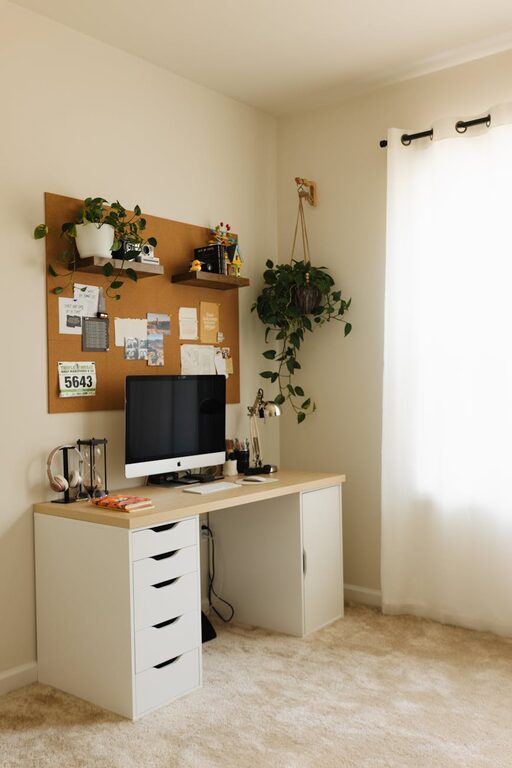
Setting up a productive home office space is essential in today’s world, where many people work remotely or split their time between the office and home. A thoughtfully designed workspace can boost your focus, reduce distractions, and make your workday more enjoyable. Whether you have a spare room or just a small nook, creating an environment that suits your needs can make a big difference. Here are practical tips to help you build an effective home office space.
Choose the Right Location
Finding the ideal spot for your home office is the first and most important step. Consider the following when selecting your workspace:
– Minimize distractions: Look for a quiet area away from the main living spaces, such as the kitchen or TV room.
– Natural light: A space with plenty of natural light can improve mood and reduce eye strain.
– Privacy: If you share your home with others, make sure your workspace offers enough privacy for calls and focused work.
Even if your ideal spot isn’t a separate room, a corner of a room with a room divider can work well.
Invest in Comfortable and Functional Furniture
Comfort plays a key role in productivity. Choose furniture that supports good posture and organizes your work tools efficiently:
– Ergonomic chair: An adjustable chair with proper lumbar support helps prevent back pain.
– Desk size: Pick a desk that fits your computer, paperwork, and any other tools you use without cluttering your space.
– Standing options: Consider a sit-stand desk or adjustable desk converter to change positions throughout the day, which can boost energy and reduce fatigue.
Organize Your Workspace for Efficiency
Clutter can quickly reduce your productivity. Keeping your workspace organized helps you focus better and saves time looking for things. Try these tips:
– Use storage solutions: Shelves, drawers, and bins can keep supplies neat and accessible.
– Declutter regularly: Set a weekly routine to clear unnecessary items and paperwork.
– Cable management: Use clips or cable sleeves to keep cords tidy and prevent tangling.
Optimize Lighting and Screen Setup
Good lighting and screen placement prevent eye strain and headaches:
– Balance natural and artificial light: Complement natural daylight with adjustable desk lamps or overhead lighting.
– Screen positioning: Position your monitor so the top of the screen is at or slightly below eye level and about an arm’s length away.
– Reduce glare: Use blinds or curtains to control sunlight and anti-glare screen protectors if needed.
Personalize Your Space for Motivation
A touch of personalization can make your home office inviting and motivate you during work hours:
– Plants: Adding greenery improves air quality and adds a calming effect.
– Artwork or photos: Personal items can boost mood and make your space feel welcoming.
– Color choices: Use colors that inspire you; for example, blue can promote calmness while yellow can stimulate creativity.
Establish a Routine and Boundaries
Having a designated workspace only works best if paired with good habits:
– Set work hours: Treat your home office like a real office by keeping regular hours.
– Take breaks: Stand up, stretch, or take short walks to clear your mind.
– Communicate boundaries: Let family or roommates know your schedule to minimize interruptions.
Use Technology to Stay Connected and Organized
Make use of tools that help you stay productive while working remotely:
– Communication apps: Tools like Slack or Zoom help you stay connected with your team.
– Task management: Apps like Trello or Asana keep your tasks organized.
– Noise-cancelling headphones: These can help block out distractions, especially in busy households.
Prioritize Comfort and Health
Taking care of your physical and mental health supports long-term productivity:
– Proper posture: Use reminders or apps that encourage good posture and breaks.
– Hydration and snacks: Keep water and healthy snacks nearby to maintain energy.
– Ventilation: Ensure the room is well-ventilated to keep air fresh.
—
Creating a productive home office space is a blend of choosing the right environment, investing in quality furniture, organizing effectively, and maintaining good work habits. By following these tips, you can turn your home office into a space that not only supports your professional needs but also enhances your overall well-being. Remember, your workspace should adapt to you, so feel free to experiment and find what setup works best for your productivity.