 By
By 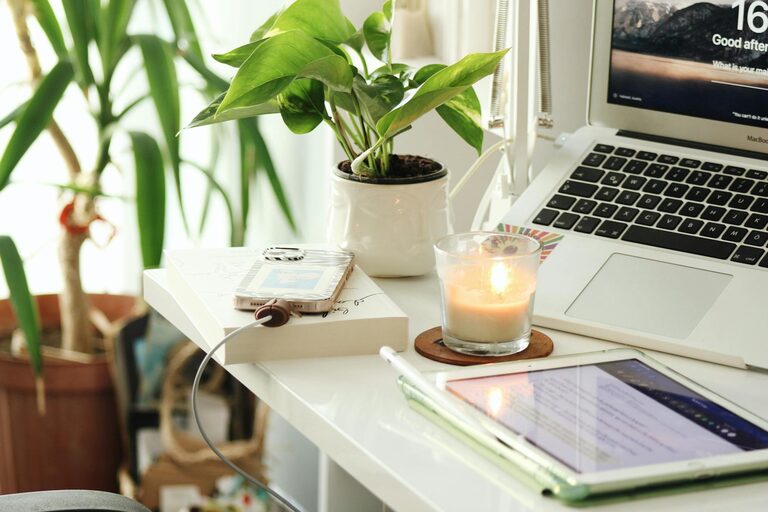
Creating a productive home office space is essential in today’s world, where remote work has become increasingly common. Whether you’re working full-time from home or occasionally need a quiet place to focus, designing a workspace that supports your productivity and well-being can make a big difference. Here are some practical tips to help you set up an effective home office.
Choose the Right Location
Finding the ideal spot in your home for your office is the first step. Consider areas that:
– Receive natural light to help maintain energy and improve mood
– Are away from heavy foot traffic and noisy areas to minimize distractions
– Have enough space for your desk, chair, and storage needs
If space is limited, even a corner of a living room or bedroom can be transformed into a functional workspace.
Invest in Comfortable and Ergonomic Furniture
Sitting for long hours requires furniture that supports your posture and comfort:
– Desk: Choose a desk with enough surface area for your computer, paperwork, and any devices you use.
– Chair: An ergonomic chair with adjustable height and lumbar support can reduce back strain.
– Height: Your desk and chair height should allow your elbows to bend at about a 90-degree angle when typing.
Comfortable furniture helps prevent fatigue and promotes longer periods of focused work.
Organize Your Space for Efficiency
A cluttered workspace can hinder your productivity. Try these organizational tips:
– Use shelves or filing cabinets to store documents and supplies neatly.
– Keep frequently used items within arm’s reach.
– Use cable organizers to prevent tangled cords and create a clean appearance.
– Consider drawer dividers or desk organizers for smaller items like pens and paperclips.
Keeping your office tidy helps you focus and saves time looking for things.
Optimize Lighting
Good lighting reduces eye strain and helps maintain alertness:
– Maximize natural light by positioning your desk near a window.
– Use a desk lamp with adjustable brightness to supplement lighting, especially for evening work.
– Avoid glare on computer screens by adjusting lighting angles or using screen filters.
Choosing warm or neutral white light can also create a comfortable and inviting workspace.
Minimize Distractions
To stay focused, reduce interruptions in your home office:
– Use noise-cancelling headphones or soft background music if noise is a problem.
– Inform household members of your work hours to respect your need for quiet time.
– Turn off non-essential notifications on your devices during work periods.
Creating boundaries helps separate working time from personal life.
Personalize Your Workspace
Adding personal touches can make your home office a place where you enjoy spending time:
– Decorate with plants to improve air quality and add a calming touch.
– Hang inspiring artwork or motivational quotes.
– Use colors that make you feel energized or relaxed, depending on your preferences.
Personalization helps create a positive environment that encourages productivity.
Set Up Technology and Connectivity
Reliable technology is crucial for smooth remote work:
– Ensure your internet connection is fast and stable.
– Use a quality webcam and microphone for video calls.
– Keep your software and devices updated to avoid technical issues.
Having dependable tools reduces frustration and keeps you connected.
Establish a Routine
Creating a daily work routine supports efficiency and work-life balance:
– Set regular working hours and stick to them.
– Schedule breaks to rest your eyes and stretch your body.
– Plan your tasks using to-do lists or digital planners.
Consistency helps build focus and marks clear boundaries between work and relaxation.
Final Thoughts
Designing a productive home office space is about balancing practicality and comfort. By choosing the right location, investing in ergonomic furniture, organizing effectively, optimizing lighting, minimizing distractions, personalizing your area, setting up technology properly, and establishing a routine, you can create an environment that encourages your best work. Experiment with these tips to find what works best for you and enjoy a more focused, comfortable remote work experience.