 By
By 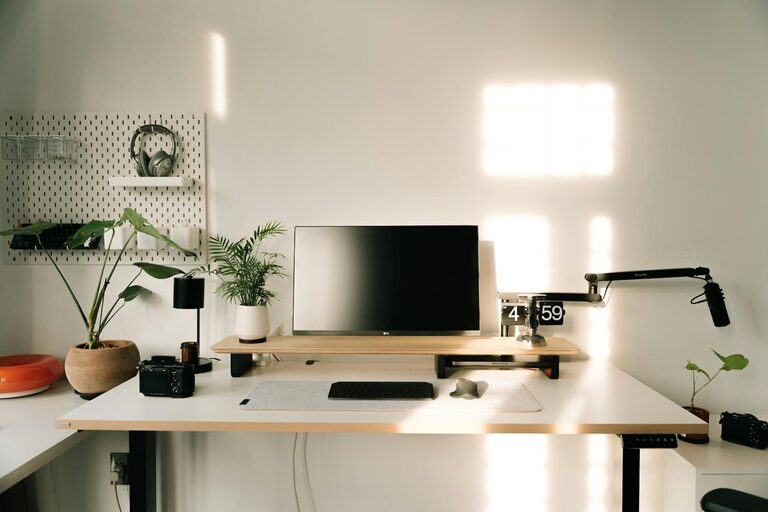
Creating a productive home workspace is essential for anyone who works remotely or spends significant time on personal projects. When your workspace is well-organized, it helps reduce distractions, improve focus, and boost overall efficiency. Whether you have a dedicated room or a small corner in your living space, making thoughtful adjustments can greatly enhance your work experience. Here are some practical tips to help you organize a home workspace that supports productivity and comfort.
Choose the Right Location
Find a Quiet and Comfortable Spot
Select a place in your home that is quiet and away from high-traffic areas to minimize interruptions. Ideally, this spot should be well-lit and ventilated, providing fresh air and natural light. Good lighting not only reduces eye strain but also improves mood and energy levels.
Consider Your Space Needs
Depending on your work style, you might need more room for documents, gadgets, or creative materials. Think about how much space you require for your computer, additional monitors, stationery, or even a whiteboard. Having enough space to work comfortably will make long hours more manageable.
Invest in Functional Furniture
Ergonomic Chair and Desk
An ergonomic chair with good lumbar support and an adjustable desk height will keep you comfortable and help maintain good posture. Sitting correctly is important for preventing discomfort or injury, especially when you spend hours at your desk.
Use Storage Solutions
Incorporate shelves, drawers, or filing cabinets to keep your materials and tools organized. Storage helps clear clutter from your desk surface, so you can focus better without distractions.
Organize Your Desk Efficiently
Keep Only Essentials on Your Desk
Limit the items on your desk to those you use daily. This might include your computer, a notebook, a pen holder, and a water bottle. Keeping your workspace minimalist helps reduce visual clutter and keeps your mind clear.
Arrange Your Supplies for Easy Access
Store frequently used items within arm’s reach to avoid breaking your concentration searching for things. Use desk organizers, trays, or containers to keep small items tidy.
Manage Cables and Electronics
Reduce Cable Clutter
Use cable organizers, clips, or sleeves to bundle and hide wires. This prevents tangling and makes your workspace look neat.
Keep Electronics Charged and Ready
Maintain a system for charging your devices, preferably with a dedicated power strip on or near your desk. This prevents interruptions due to power issues and keeps devices ready for use.
Personalize Your Workspace Mindfully
Add Elements That Inspire You
Incorporate personal touches like a plant, artwork, or motivational quotes. These can make your workspace more inviting and boost your mood.
Avoid Overdecorating
While it’s good to personalize your space, avoid excessive decorations that could distract you. A calm and intentional environment supports focus.
Create a Routine to Maintain Organization
End Each Day with a Tidy-up
Take a few minutes to clear your desk and put things back in place at the end of each workday. This habit keeps your workspace ready for the next day.
Regularly Review and Declutter
Every few weeks, review your workspace for items that are no longer useful and remove them. Decluttering prevents buildup and keeps your area functional.
Optimize Lighting and Ambience
Use Natural Light Whenever Possible
Position your desk near a window to take advantage of daylight. Natural light helps regulate your body clock and creates a pleasant working environment.
Add Task Lighting
Use adjustable desk lamps to provide focused lighting for reading or computer work. Proper lighting reduces eye strain and increases comfort.
Establish Boundaries to Improve Focus
Define Work Hours and Break Times
Having a clear schedule helps create mental separation between work and home life. Set alarms or reminders for breaks to avoid burnout.
Communicate Your Workspace Rules
If you live with others, let them know your working hours and the importance of minimizing interruptions during those times.
Keep Digital Files Organized
Use Cloud Storage and Backups
Keep your digital work accessible and safe by using cloud services. Regularly back up important files to prevent loss.
Organize Your Digital Workspace
Create folders with clear names and maintain a consistent system for saving documents. A tidy digital desktop complements your physical workspace organization.
Conclusion
Organizing a productive home workspace is a combination of choosing the right location, investing in functional furniture, managing clutter, and establishing routines. By creating an environment that supports your work needs and personal preferences, you can improve your focus, efficiency, and overall satisfaction while working from home. Small adjustments each day will build a workspace that works for you, making every work session more enjoyable and effective.